Choose the most specific subcategory that truthfully describes your item, because Etsy automatically places the listing in the parent categories above it.
You're listing a personalized necklace, and suddenly you're choosing between what it is, who it's for, and the wedding it might be worn at. Etsy listing categories describe the product itself. Gift occasions and recipient words belong elsewhere unless they're part of an accurate category name.
What Etsy Listing Categories Are and How They Nest
Think of Etsy's category system as a filing cabinet. The large drawers hold broad product areas, folders inside them hold narrower product types, and individual listing details describe what's inside each folder.
The folder should name the item, not every reason someone might buy it. Etsy's category guidance explains that selecting a specific subcategory also includes the parent categories above it, so you don't need to choose a broad parent just to remain eligible for broader matching.
Broad areas and specific placement
The marketplace's broad areas include Art and Collectibles, Bags and Purses, Craft Supplies and Tools, Home and Living, Jewelry, Paper and Party Supplies, Toys and Games, and Clothing, as described in the overview of Etsy's category directory. These areas help you begin browsing, but they're usually not the end of your selection.
The commercial scale is substantial: Etsy's top six retail categories represented approximately $8.9 billion, or 85% of gross merchandise sales, in 2025, according to Capital One Shopping Research. That concentration doesn't tell you which category suits your listing or how difficult a particular search phrase will be to compete for.
Your practical task is narrower: place the product accurately and make the appropriate listing details available.
The three levels of an Etsy category
Level | Example | What It Controls |
|---|---|---|
Top-level area | Jewelry | Broad browsing and the main shelf buyers scan |
Subcategory | Jewelry > Necklaces | Exact placement and the attributes shown |
Attribute | Chain style, number of strands | Structured search terms and filter eligibility |
Strictly speaking, attributes aren't another branch of the category tree. They're details attached after category selection, which is why choosing the right folder comes before filling in its details.
How to Choose the Right Category Step by Step
Start with the item on your workbench, not a list of attractive keywords. A category should remain accurate even after you remove the gift wrapping, seasonal photo props, and recipient message.
Follow the item through the category tree
Write the product name a buyer would type. Use something concrete, such as silver stacking ring, rather than your internal product code or collection name.
Enter that name in Etsy's category search. Read the suggested categories instead of accepting the first familiar word, because similar names can lead to different product branches.
Open the closest suggestion and follow its path. Move down until you reach the deepest subcategory that still describes the item exactly, rather than stopping at a comfortable but vague parent.
Compare the subcategory name with the actual product. Ask whether a buyer opening that category would expect to find what you're selling, without needing an explanation.
Select it and complete the relevant attributes. Etsy's guide to listing attributes explains that the category controls which fields appear, including material, color, pattern, room, chain style, and number of strands.
Read the title beside the category. Both should name the same product type, so a buyer doesn't encounter a bracelet title attached to a necklace category.
Save and reopen the listing editor. Confirm that the saved category path is the one you intended, then check the attributes again before publishing.
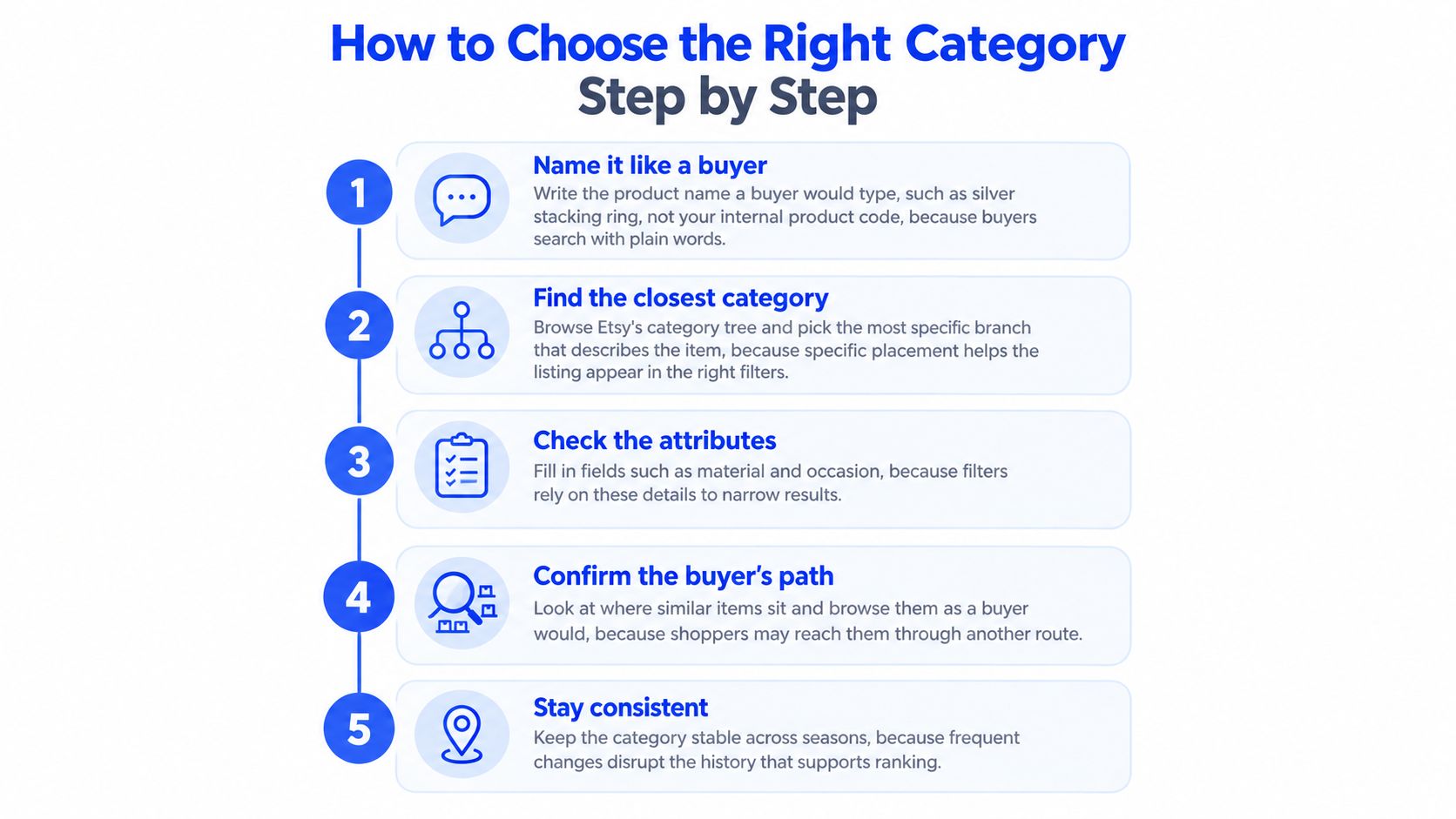
Check what changed in the editor
Don't assume an attribute is unavailable until you've checked the category. A generic placement may show fewer useful fields, while a more accurate placement can reveal details specific to that product.
For a necklace, inspect chain-related options. For home decor, look for relevant room choices. Fill every field that accurately applies, but leave out values that would misrepresent the item.
Practical rule: If the available attributes seem unrelated to what you sell, investigate the category before rewriting your keywords.
For example, a seller listing a finished embroidered cushion shouldn't select a supplies category just because embroidery describes how it was made. The buyer receives a cushion, not materials for making one.
A broader Etsy listing optimization checklist can help you review the remaining listing fields after placement is settled. Your finished category setup should have one clear path, every true attribute filled, and a title that agrees with both.
How Categories Shape Search and Filter Visibility
Think of a specific subcategory as a box inside larger boxes. Your listing occupies a precise location without losing its connection to the broader product area.
Attributes are labelled drawers inside those boxes. They let buyers narrow the selection to details such as material, pattern, or room.

Matching a phrase isn't the same as passing a filter
Etsy's explanation of attributes in search states that category and attribute terms help match shopper queries alongside titles and tags. It also explains that a listing can appear in a filtered result only when it contains the corresponding attribute.
Say you sell a blue patterned cushion. Writing blue in the title isn't a substitute for selecting the accurate color attribute when that option is available.
A shopper who types a phrase and a shopper who selects a filter are taking different actions. You need appropriate wording for the first and accurate structured details for the second.
A matching title doesn't fill an empty attribute field.
Etsy also evaluates listings as a whole, using titles, tags, descriptions, photos, reviews, categories, and attributes, according to its explanation of how Etsy search works. Accurate categorization supports relevance, but it isn't a promise of a particular ranking.
Run a buyer-side check
Use this check after editing:
Search naturally. Enter the phrase you'd expect a buyer to use for your product.
Open the filters. Note the available values that accurately describe your item.
Compare with your editor. Check whether those relevant values are selected on your listing.
Filters can differ with the search context, so don't force an unrelated value merely because you see it on a results page. Look for a consistent match between the item, its category, and the details buyers can select.
The distinction between matching and ranking also matters when reviewing the Etsy search algorithm. First make the listing eligible for the right searches, then assess its performance within them.
Products That Fit More Than One Category
Choose by product identity, then describe the buying occasion elsewhere. A necklace bought for a bridesmaid is still a necklace, just as a portrait purchased after a pet's death is still artwork.
This distinction is especially useful for personalized products. Custom wording can change why someone buys an item without changing what arrives.
Compare the item with the occasion
The examples below show starting points, not a guarantee of the exact labels currently available. Confirm the deepest suitable subcategory in Etsy's live tree, especially for digital products.
Borderline products and where they belong
Product | Category It Belongs In | Put in Title, Tags or Attributes | Why |
|---|---|---|---|
Personalized name necklace as a bridesmaid gift | Jewelry > Necklaces | bridesmaid gift, name necklace | The item is a necklace; the wedding is the occasion |
Linen throw pillow with a custom wedding date | Home and Living > Home Decor | wedding gift, anniversary | The pillow is the product; the date and event describe why it is bought |
Three-candle gift set for a housewarming | Home and Living (candles subcategory) | gift set, housewarming | A bundle follows its main product, not the packaging |
Editable wedding invitation template | Paper and Party Supplies (printable subcategory) | instant download, editable | The format describes the product; the event is the search occasion |
Custom pet portrait as a memorial gift | Art and Collectibles | pet memorial, dog lover gift | The product is artwork; the subject and recipient are the occasion |
Digital formats need particular care. A listing for an editable invitation must make clear that the buyer receives a file, not printed stationery, even when the category also describes the invitation's purpose.
Resolve a genuinely difficult choice
Write down the plausible category candidates, then search your intended phrase on Etsy. Look at what the visible results actually offer, rather than copying their titles or assuming their categories are correct.
If buyers searching that phrase mostly encounter the same product type you make, you have useful confirmation of product intent. If the results mostly contain gift baskets while you sell a single candle, the phrase may describe a different purchase.
For bundles, use the main product as your starting point. A candle set doesn't become a different product merely because you put it in a gift box; a mixed assortment without a clear main item needs a closer look at available set categories.
Etsy's category-selection guidance describes category information as a way to determine where items appear. Treat search results as a buyer-intent check, not permission to choose an inaccurate branch.
Category popularity isn't a reason to select it. Choose the place where buyers expect your actual product.
Seasonal Listings and When to Change Categories
Keep the category when the product stays the same. Seasonal demand changes the buying context, so start with occasion-specific wording, suitable attributes, and photos rather than moving the item.
For example, Accio's coverage of Etsy selling trends describes Mother's Day themes including gifting, personalization, wellness, bath and beauty, and accessories, with activity spanning February through May. Prepare relevant wording before that window rather than treating Mother's Day as a new product type.
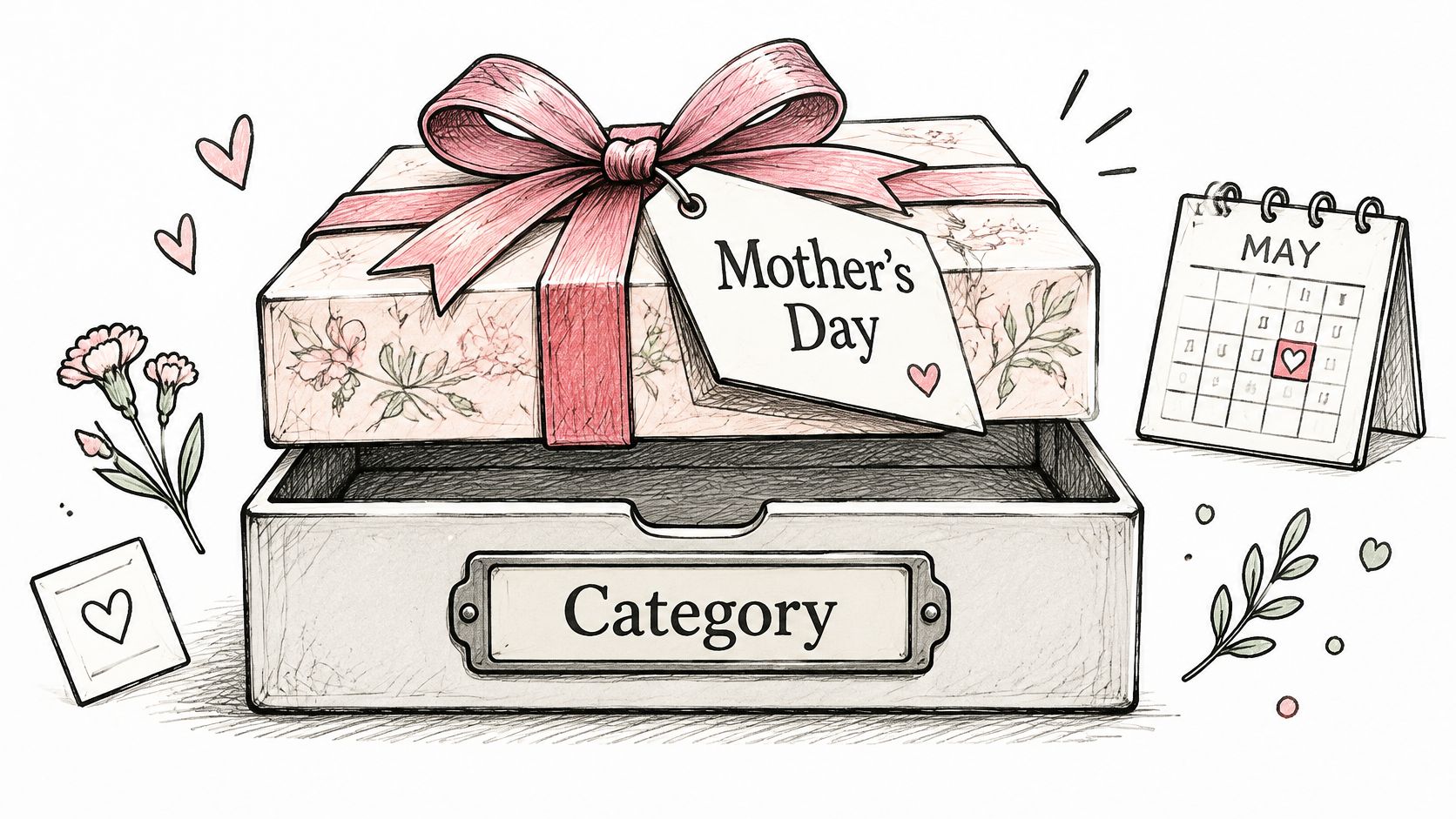
Seasonal situations and the right move
Situation | Best Move | Why |
|---|---|---|
Same item, new season such as Mother's Day gifting | Keep the category; add occasion words and attributes | The category describes the item, which hasn't changed |
Item has become a different product type | Change the category | A wrong product type weakens relevance in every season |
A distinct seasonal version needs its own selling window | Create a separate listing for that version | The version has its own attributes and photos |
Season has ended | Remove seasonal words; keep the category | Clean wording avoids mismatched searches after the window closes |
Separate a seasonal message from a different offer
A necklace photographed with a Mother's Day card remains the same necklace. A separately sold gift set with different contents, customization choices, and photographs may warrant its own listing.
Don't create a separate listing solely to repeat the same offer with a seasonal keyword. Make sure buyers can understand what distinguishes the version.
Before targeting an occasion phrase, inspect the results for matching products. If few resemble yours, skip that phrase rather than forcing an unrelated seasonal connection.
Category Mistakes and the Pre-Publish Check
A category choice can look reasonable while still describing the wrong thing. The risk is greatest when you select it to pursue traffic rather than to help a buyer understand the product.
Misclassification isn't a safe ranking tactic. Extra keyword overlap doesn't make an unrelated item relevant to the shopper who encounters it.
Beliefs that lead sellers off track
The broadest parent is the safe choice. It feels inclusive, but stopping early can leave useful product-specific fields unavailable.
A busy category will bring more traffic. That confuses marketplace demand with demand for your item. Buyers browsing unrelated products aren't necessarily prospects.
Blank attributes do no harm. Sellers often prioritize visible copy and overlook fields in the editor, leaving gaps in filtered browsing.
Ticking extra values helps. Selecting a material or style that doesn't apply may put the listing in front of buyers whose requirements it can't meet.
More product words in the title can cover a weak category. Repetition makes the title harder to read without correcting the underlying placement.
The category can be set once and forgotten. That's tempting for an established listing, but a product redesign or changed bundle can make its original classification inaccurate.
Category mistakes, symptoms and fixes
Mistake | What It Looks Like | Fix |
|---|---|---|
Choosing a broad parent when a deeper subcategory fits | Few attributes appear and filters skip the listing | Move down to the deepest accurate subcategory |
Picking a busy category instead of the item's category | The listing sits beside products buyers don't compare it with | Choose the category that describes the item |
Leaving relevant attributes blank | The listing is missing from filtered results | Fill every attribute that truly applies |
Adding attributes that aren't true | Buyers filter in and leave disappointed | Remove any value that doesn't describe the item |
Stuffing product words into the title to cover a weak category | The title reads awkwardly and still matches weakly | Let the category carry the product type; use the title for buyer wording |
Never revisiting the category after changes | The listing drifts away from what it sells | Review the category after any product or variation change |
Make the final publishing decision
Run this check in the listing editor, with your product photos beside you:
Product identity matches. The category path names the product you sell.
Placement is specific. You've selected the deepest accurate subcategory.
Relevant fields are complete. Every attribute that truthfully applies is filled.
Values are honest. No attribute describes a material, style, or feature the item doesn't have.
The title agrees. It names the same product type as the category.
Tags add useful context. They include suitable occasion, recipient, style, or wording variations.
Search intent fits. A search for the target phrase shows prominent results sharing your product type.
A review is scheduled. You've set a date to recheck placement after the next product or variation change.
If every check passes, publish. If the item remains borderline, compare its product identity with the multi-category examples before committing.
Use a broader set of Etsy SEO tips for the next round of improvements, but don't keep changing a correct category while troubleshooting unrelated photo, pricing, or wording problems.
Open your next unpublished listing and complete the category check before polishing another keyword. Once the product placement is accurate, you can ask Upglider to assess that listing and a specific target search phrase if you want focused ranking help. Bring your public listing URL and the phrase your ideal buyer would type in.