What if the problem isn't that your product needs a better video, but that the first two seconds answer the wrong question? Most sellers film a slow intro, add music that Etsy will remove, or start with a logo while the buyer is still wondering how big the item is. An Etsy listing video works as a design brief, not a small advert. You get a brief, silent moment to prove one thing about the item.
Etsy Listing Video Rules at a Glance
What can a silent Etsy listing video show in a few seconds? Etsy sets limits on the clip, while the opening shot is your design brief: it should make one useful detail clear before a shopper scrolls past.
The Etsy listing video help page lists up to two videos per listing, each 3 to 15 seconds long. It also says videos do not retain audio after upload. Check the length options in your listing editor before filming.
Setting | Etsy limit | What it means for you |
|---|---|---|
Videos per listing | Up to 2 | Sits alongside your listing photos |
Length per video | 3 to 15 seconds | Choose one clear detail for the opening shot |
Total silent footage | 30 seconds across two clips | Plan each clip to show a different useful view |
Audio | Not kept after upload | Make the product clear through motion and visuals |
Where it plays | Automatically on hover while browsing | Make the opening easy to understand at a glance |
File format and file size | See Etsy's current help page | Check the requirements before exporting |
File format and file size requirements can change, so confirm them on Etsy's help page and in the listing editor before you export.
Check your own listing now
Open the listing editor and go to Photo & video. Check how many video slots are available before planning the shoot. If both are empty, you can start with one clip: a clear opening view is more useful than two clips that show the same thing.
Authenticity Rules for Listing Videos
A polished clip can still be the wrong clip if it doesn't prove the actual item. The Etsy Seller Policy requires sellers to use their own original photo or video content for items made by the seller and to represent the actual product accurately, and Etsy recommends that the first image or video show the physical item the buyer will receive, not a rendering or stock image. For personalized products, the first image must show a finished customized item rather than a blank placeholder.
That rule changes what you should film. A staging choice that hides seams, changes colour, or makes a small item look large isn't just weak presentation. It's a mismatch between proof and product.
Three common cases
You made the item yourself: Film the piece in daylight or even light. Trim shaky starts and ends, but don't use edits that change its colour, proportions, finish, or apparent size.
You sell print on demand: Put a sample first if you have one. If you also show a digital mockup, label it clearly as a mockup in the listing text so the buyer can tell proof from preview.
You're showing a design before production: Film a prototype or an earlier piece made the same way, with the same materials and method. Say plainly where the final item may vary, such as glaze tone, wood grain, or stitch placement.
AI footage and the surprise test
If you use AI-generated footage, apply the same standard. The clip must not invent details the buyer won't receive, such as a clasp that doesn't exist, a smoother finish, or extra contents in a bag. Disclosure rules for synthetic performers are also developing, so don't treat generated footage as automatically harmless.
Use one simple test before uploading. If a buyer would be surprised by the size, colour, material, finish, or contents after watching the video, reshoot it. The video should settle questions, not create a returns conversation.
Why Listing Videos Help Shoppers Decide
A shopper scrolling through results sees still thumbnails first. The Etsy Seller Handbook guide to listing videos states that when a listing video is added, buyers can hover over the listing while browsing and the video will automatically play. That gives motion a job before the shopper has clicked.
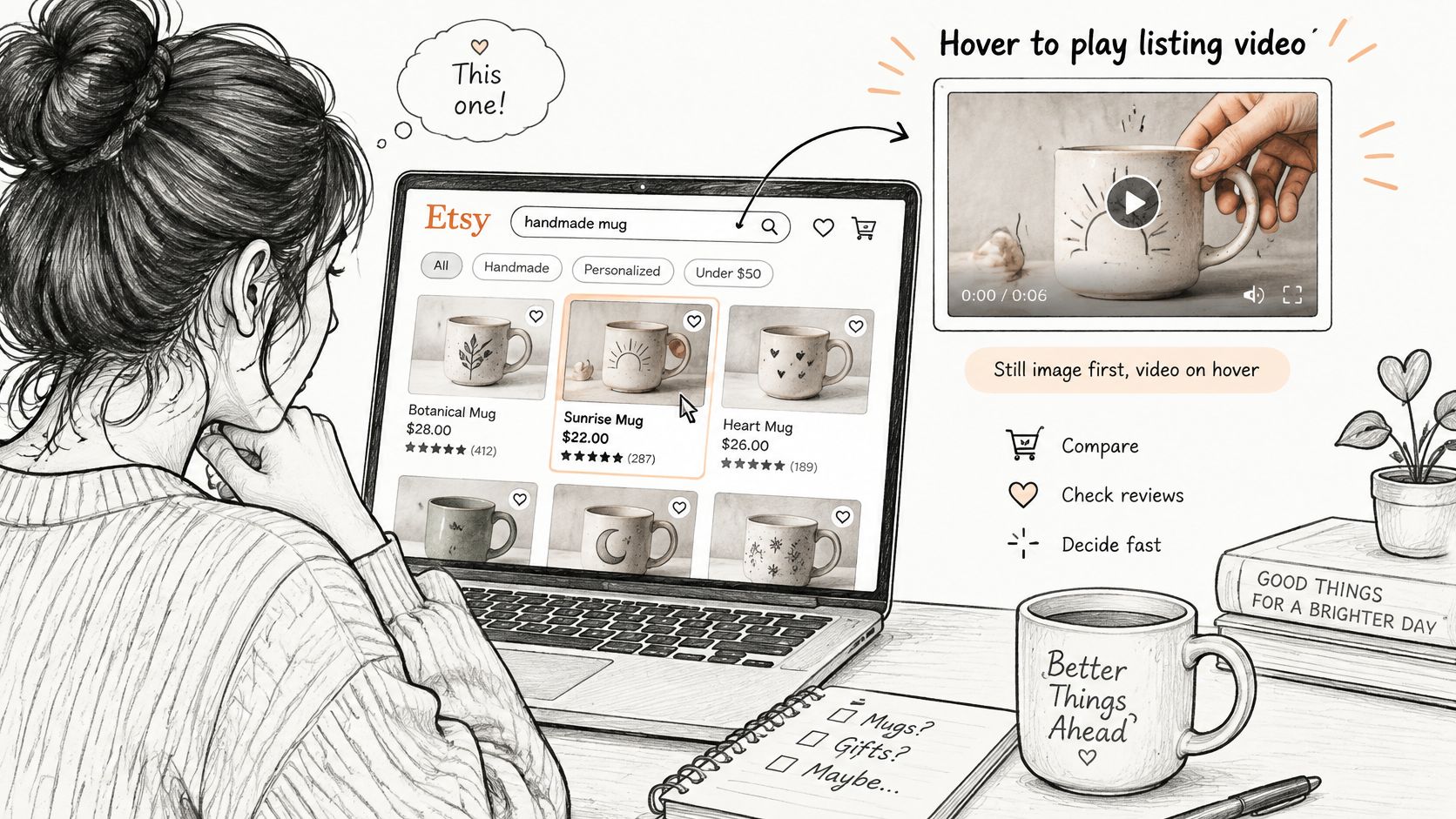
Consider a hand-thrown mug photographed alone on white. It could be an espresso cup or a large soup mug. Pick it up, turn it once, and pour water into it, and the hand answers the scale question while the turn shows glaze variation. A ring works the same way. Flat photos show the top setting well, but a slow turn on a finger shows band height, profile, and how much presence it has in wear.
What video can and can't do
Etsy says listing videos give shoppers a better idea of products and can help improve how listings appear in search. It doesn't promise a fixed lift. Treat video as one signal among many, not a repair for a vague title, weak first photo, or price that doesn't match the item shown.
Your written listing still has to carry measurements, materials, personalization limits, and condition notes. If you're tightening that copy at the same time, a clear Etsy listing description template can help you keep those facts consistent with what the clip shows.
Measure it without guessing
Record impressions, visits, favorites, and conversion rate for four weeks before you add video if the listing already has traffic. Add the clip without changing the title and photos in the same week. Compare the next four weeks, and note sales messages too. Fewer questions about size or finish can matter even when views barely move.
Quick check: Do your first photo and the opening seconds tell the same story about what this product is? If they don't, fix that mismatch first.
Best First Shots for Each Product Type
Don't start by asking how to make the clip look professional. Start by naming the buyer's first unanswered question. That's the shot you put at the front.
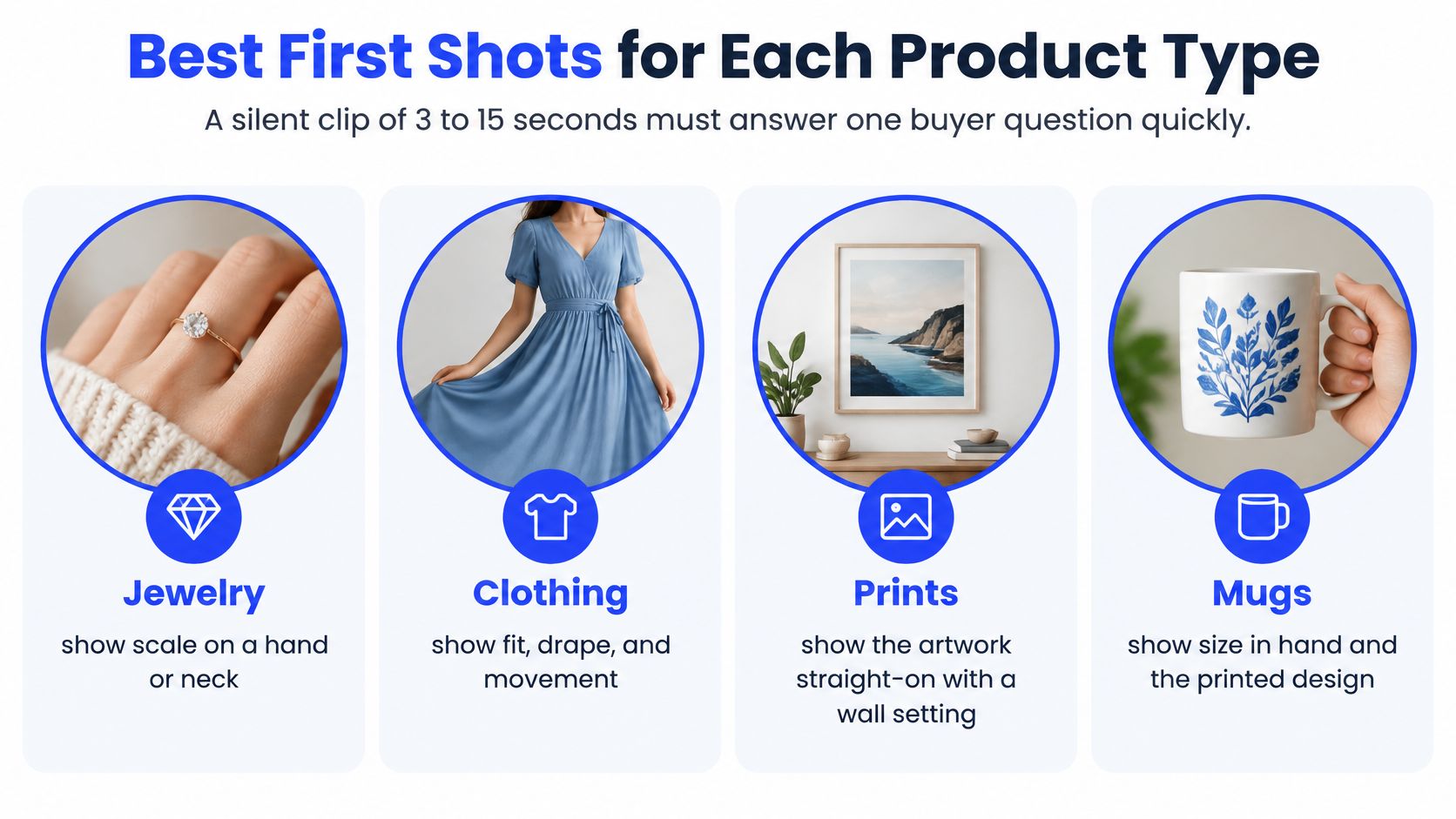
Product type | Best first shot | Question it answers |
|---|---|---|
Jewelry | Rotate the piece slowly on a plain background | How does it look from every side? |
Handmade ceramics | Hand fills the mug and liquid is poured in | How big is it and how does it feel? |
Home decor and wall art | Slow pan across the piece in a real room | How large is it and what is the finish? |
Bags and wallets | Open, close and show the strap worn | What fits inside and how is it built? |
Printables | Scroll through the pages on a screen | What exactly is included? |
Personalized items | Finished custom piece, not a blank template | What will I actually receive? |
Two rules for every category
Product in frame fast: Show the item within the first two seconds. Don't open on a table, a hand reaching in, or a title card.
Hold each view: Keep a shot steady for at least a second so the buyer can read shape, text, or texture. Fast cuts look busy and prove little.
The common mistake is spending the opening on a logo or slow zoom from far away. By the time the product becomes clear, the hover moment may be over. Start close enough that the item is identifiable, then move only to reveal useful information.
If your listing has options, film the version shown first and make the relationship obvious. A clip of the largest size shouldn't sit under a default photo of the smallest. Clear Etsy listing variations help the buyer match the footage to the option they're choosing.
Pick one question before you film. How big is it, what's it made of, how does it open, or what's included? Film the answer, then stop.
How to Film and Upload Your Listing Video
You don't need a studio. You need a planned shot, steady light, and a clean upload check.
Film the proof first
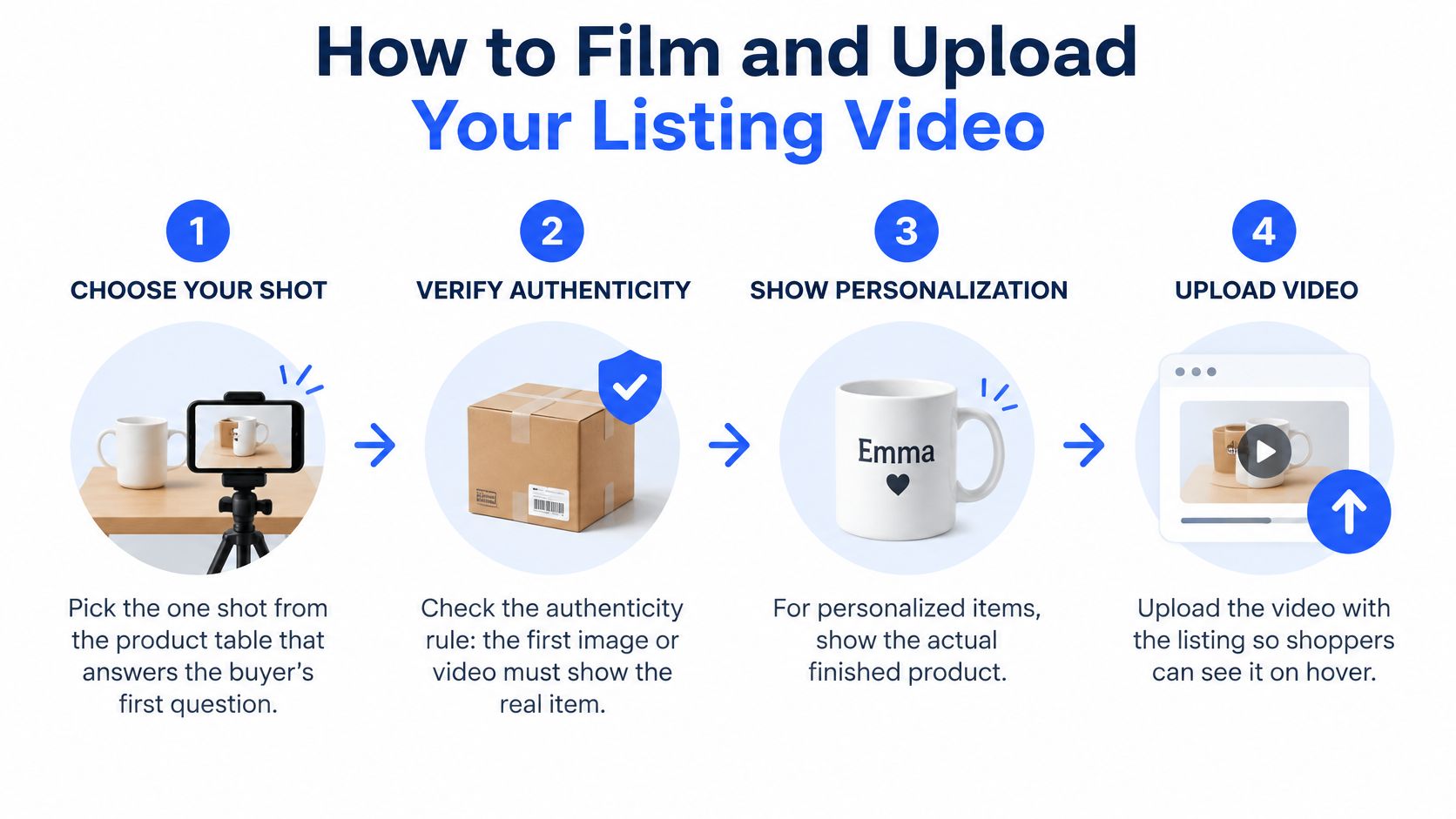
Pick one shot: Choose the opening shot for your product type and write the buyer question on a sticky note. Put the note beside the camera so you don't drift into extra angles.
Check authenticity: Use the actual item, and for personalized work, use a finished piece. Remove props that aren't included unless they're clearly scale references, such as a hand or a coin placed beside small jewelry.
Set the light: Film near a window in steady daylight, or use even indoor light from both sides. Turn off mixed overhead lights that make white glaze look yellow and silver look grey.
Steady the phone: Use a small tripod, stack of books, or flat surface. Lock focus on the product, then move the item rather than walking around it.
Record a safe length: Shoot 5 to 15 seconds per take so the clip sits safely inside Etsy's published ranges. Film three takes of the same action. You'll usually find one where your hand doesn't cover the best detail.
Trim without decorating: Cut the reach-in at the start and the reach for the stop button at the end. Remove the audio track in your editor, avoid tiny text overlays, and check the clip at phone size.
A steady product with one useful movement reads as professional. Filters, captions and effects can't rescue footage where the item is small, dark or shaking.
Upload and inspect it like a buyer
Add it in the editor: Sign in to Etsy, open the listing editor, go to Photo & video, and upload the clip. If your photos already lead clearly with the product, place the video as the second or third media item rather than pushing a strong first photo aside.
Save and preview: Open the published listing page and confirm the video plays cleanly from the first frame. Then search your phrase on etsy.com while signed out and hover over the result to inspect the browsing preview.
If you're comparing phone editors, tripods, or shop software while you set up, keep the kit simple and check current Etsy seller tools against the one job you need done. The clear first second earns attention. Everything after it should provide proof.
Decide Your Next Video Step
Your next step depends on whether the listing has a video, and whether buyers can find it at all. Don't change everything at once, or you won't know what helped.
If you have no video yet
Film the first shot for your product type this week and upload one clip. Don't wait until you can produce two polished versions. A mug seller can start with the hand-and-pour shot, publish it, and learn from buyer questions before filming a second angle.
If the video is live but the listing is hard to find
Run three basic checks before reshooting:
Signed-out search: Search your main phrase on etsy.com while signed out and see where the listing appears.
Words and photos: Compare your title and first photo with the words buyers would type for this exact item.
Match to the product: Confirm the footage shows the item, size, and finish the buyer will receive.
Only then decide whether the next test is the video, photos, or title. A strong clip can't compensate for a listing that shoppers never see, and better visibility won't help if the clip leaves scale unclear.
A simple 30-day plan
Use days 1 to 3 to film and upload. Use days 4 to 7 for the signed-out search check and a final accuracy review. During weeks 2 to 4, record impressions, visits, favorites, and conversion rate. On day 30, compare those numbers with your baseline and choose one change to test next.
If the basics are right and ranking is still the blocker, outside help is one option to weigh, not a requirement. With us, customers send a public Etsy link and their search phrase, and no Etsy password is needed. Upglider is an independent Etsy SEO service that is not affiliated with or endorsed by Etsy. Keep judging any option by whether you can verify the result yourself.
A video supports the listing. It doesn't replace the title, photos, pricing, or an accurate description.
Ready to put this into practice? Pick your strongest listing, choose the one buyer question its photos don't answer, and film a single steady clip that proves the answer in the opening seconds. Upload it through Photo & video, check the signed-out hover preview today, and record your four-week baseline before you change anything else.