You've got three print sizes and a frame choice in one draft, and the listing form wants variations on before you've decided what you keep in stock. One sloppy dropdown and a buyer can order a black frame you don't make, or pay the unframed price for oak. That's where Etsy listing variations either protect the order or create a fix you'll do by hand.
I would build the grid for stock accuracy first. Search belongs in the title, tags, and description, not inside option labels.
What Etsy Variations Can and Cannot Do
A variation is a predefined choice, such as size, color, or material. A buyer types a name or message into a personalization field instead. Variations can affect price, quantity, SKU, or processing time, so build them around the options you make and stock. For example, offer set sizes and colors as variations, then collect an engraving message as personalization.
Caps on one listing
Etsy limits how many variation types, combinations, and combinations with separate prices, SKUs, or quantities a listing can use. The practical limit is the size of the inventory grid you need to maintain.
Item | Limit or rule | What it means for you |
|---|---|---|
Variation types per listing | Up to 3 | Use types such as size, color, and material |
Variation combinations | Capped by Etsy | Remove combinations you do not sell |
Combinations with their own price, SKU, or quantity | Capped by Etsy | Set separate values only where options differ |
Digital listings | Variations are not available | Use personalization or buyer instructions instead |
Listing category | Choose before adding variations | Available attributes depend on the category |
Set the listing category and its attributes before adding variations, because the available attributes depend on the category. Digital listings cannot use variations, so collect any buyer-specific details through personalization or instructions instead.
If you can't name the choice in advance and fulfill it, it doesn't belong in the grid.
Use variations for fixed options that affect what the buyer receives or what you need to track. Keep search phrases in the title and tags; option labels are for clear choices at checkout.
How to Add Variations to a New Listing
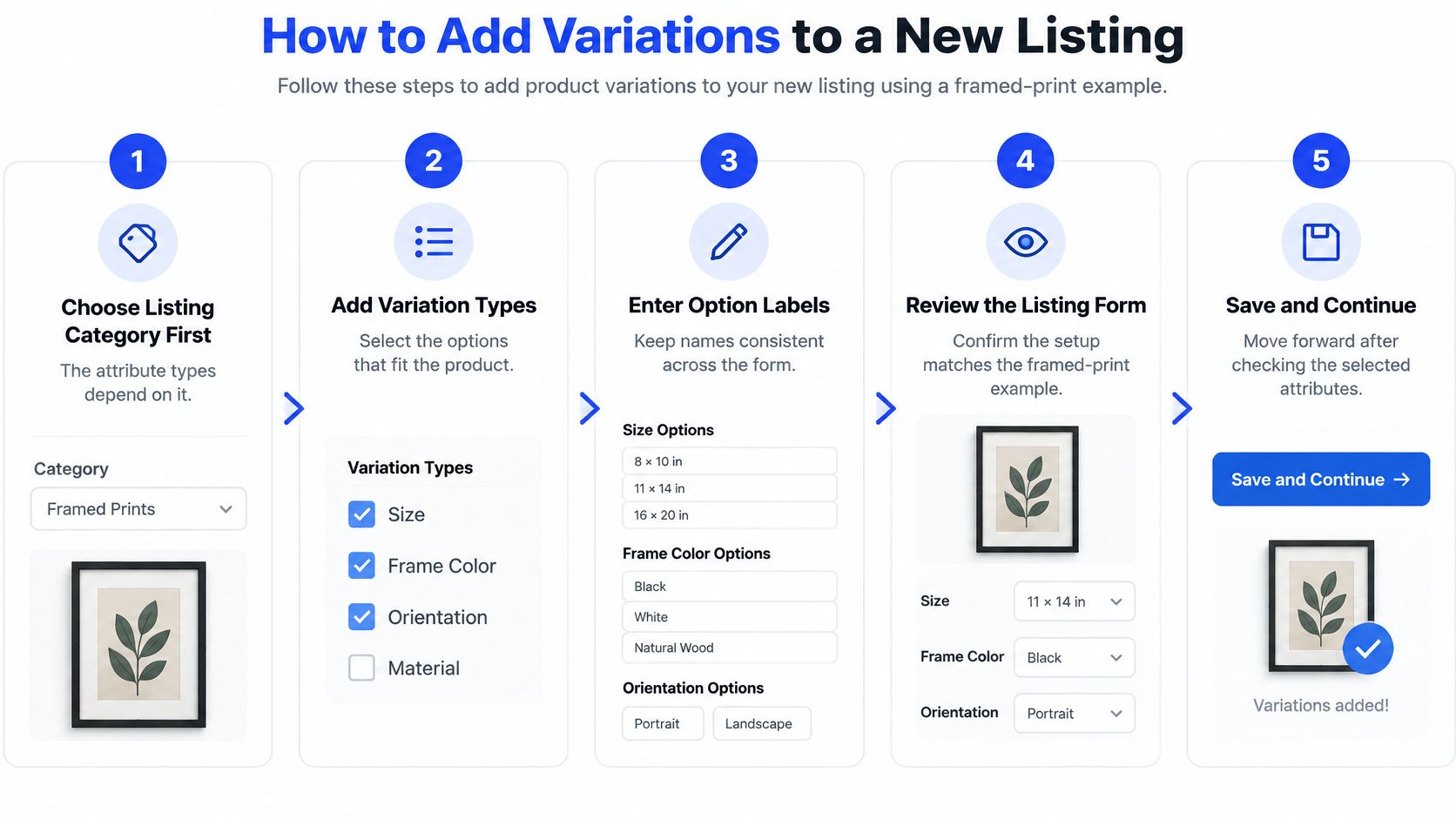
Take a framed print as the working example: sizes, a frame choice, and paper. The form only behaves if you fill it in the order it asks.
Walk the form in order
Choose the listing category first. Pick the category that matches a physical print. The attribute menu is built from that choice, and switching category later can wipe attributes you already set.
Turn on variations and pick up to three types. For this print, size, frame, and paper are enough. Skip a fourth idea such as "style name." That belongs in the title, not in another dropdown.
Type each option the way a buyer should read it at checkout. Use 8 x 10 in, 11 x 14 in, and 16 x 20 in, plus Unframed and Oak frame. Don't write Small, and don't shorten one size to 8x10 while the others keep spaces.
Review every generated combination and delete what you won't sell. If you don't offer a black frame, remove that row. Leaving it in the matrix makes it look buyable.
Enter price, quantity, and SKU only where a combination differs from the listing default. An unframed 8 x 10 in can stay on the default. Oak at 16 x 20 in should not.
Set a processing profile only where production time changes. Framed orders that need extra days get their own profile. Unframed prints that ship on the normal schedule should keep the listing default, or you'll show a longer wait for no reason.
Save, open the live listing, and select one option of each type. Confirm the price and stock on screen match the row you edited. If oak still shows the unframed price, the override didn't stick.
The label slip that splits your records
Step 3 is where most grids go wrong. 8x10, 8 x 10, and 8 x 10 in are three values to the form, even though you meant one size. Your quantity then sits on the spelling nobody selects.
Write the buyer's label once, copy it into every field, and don't improvise a second spelling while you're tired.
Have the full grid saved and clicked through before the listing goes public. A half-built matrix is harder to repair after the first order.
How to Price and Stock Every Combination
Pricing is where the grid earns its keep. Say a print shop sells three sizes, 8 x 10 in, 11 x 14 in, and 16 x 20 in, in two versions, unframed and oak frame. That's six combinations, not a flat "prints from $18" line.
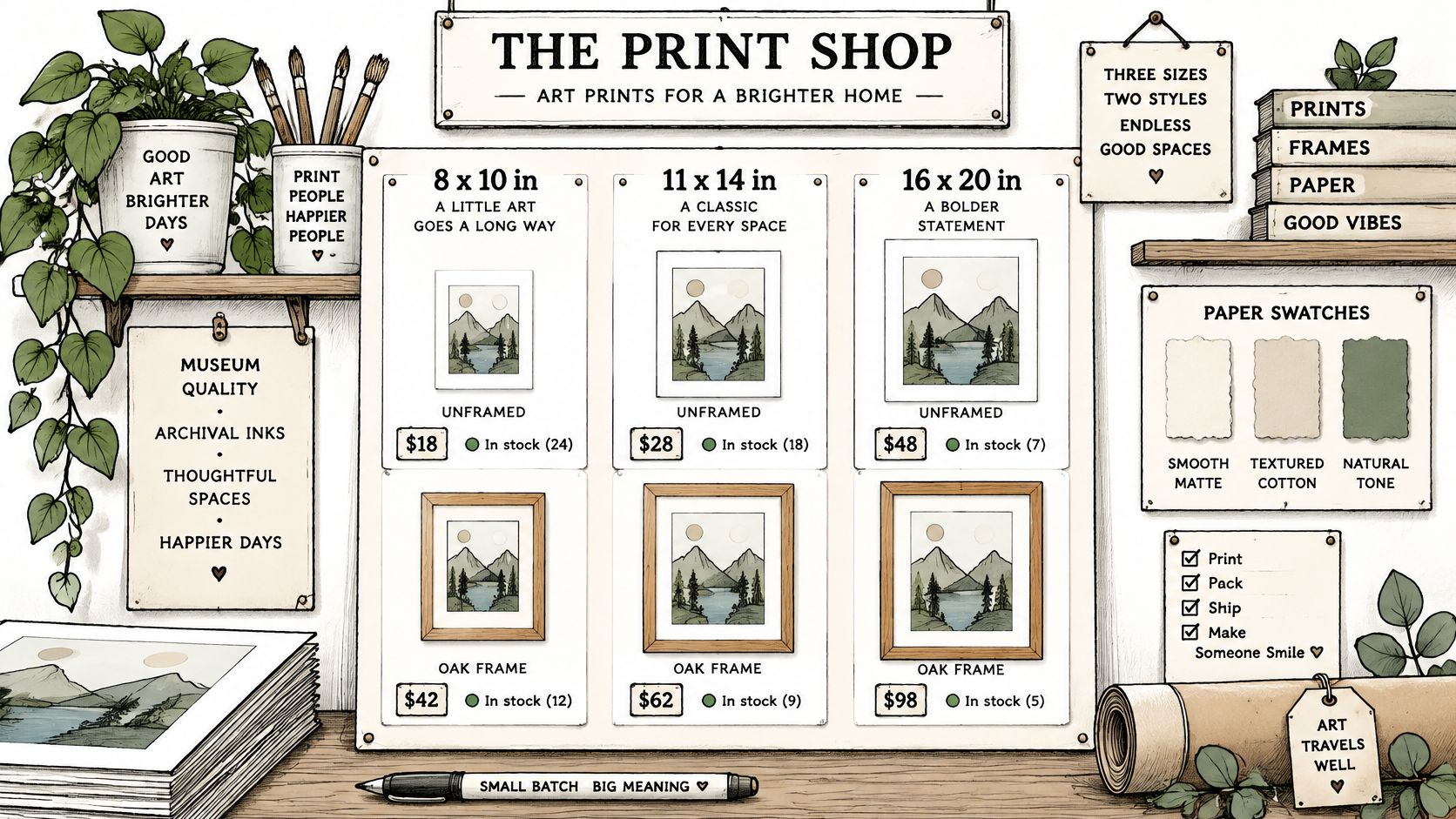
Etsy's variations guide treats this as an inventory matrix. You pick the category, define the fixed attributes, then set price, quantity, processing profile, and SKU on each sellable combination when those values differ. Buyer-typed notes stay in personalization.
Example stock and pricing grid for framed prints
Size | Frame | Price | Quantity |
|---|---|---|---|
8 x 10 in | Unframed | $18 | 20 |
8 x 10 in | Oak frame | $32 | 10 |
11 x 14 in | Unframed | $24 | 15 |
11 x 14 in | Oak frame | $44 | 10 |
16 x 20 in | Unframed | $34 | 15 |
16 x 20 in | Oak frame | $62 | 8 |
The unframed steps ($18, $24, $34) follow paper and print cost. The oak add-on grows faster: $14, then $20, then $28. A flat markup would underprice the large frame, because the moulding and glass jump more than the print. Quantity follows how often you can finish the work, not an even split. Fast unframed sizes stay higher. Slow-to-frame oak, especially 16 x 20 in, is capped at 8 so you aren't promising units you can't build this week.
Keep the listing price as the default and override only the rows that cost more. Future edits stay short. Give each active row its own SKU from size and finish so the ship note matches the record. Drop any option you don't offer. A purchasable zero is still a choice a buyer can hit.
Before you call it done, run checkout on every row that changes price or processing time. Pair that pass with the checks in your Etsy seller tools routine so a bad override doesn't sit until the first complaint.
Tips for Titles and SKUs That Help Search
More variation labels do not mean more search visibility. A custom option can tell the buyer what to pick at checkout. It does not become a filter they can use while searching. Etsy's listing guide allows you to create a variation when the standard options don't fit, and it also makes clear that those custom fields are not buyer search filters. Walnut buried inside a custom label will not place the listing for a walnut search.
Put the words where search can read them
Title, front-loaded: Lead with the product, one key attribute, and one buyer phrase. "Oak framed botanical print, 8 x 10 in wall art" reads on its own in a result row. A title that starts with your shop name wastes that space.
Attributes, tags, and description: Repeat the size and material words there. That's the searchable copy. The variation label is only the checkout control.
One home for each word: If oak matters, it appears in the title or tags, not only inside the dropdown.
SKUs are a different job. Use a short pattern you can scan in an order export: product code, size, finish. PRT-810-OAK and PRT-1620-UNF stay identical on every listing that uses them. Don't stuff SKUs with keywords. Buyers rarely see them, and a keyword-packed code is harder to match when you're packing.
Names that don't fork your stock
Keep option text plain and identical. 8 x 10 in and 8x10 look like different products to you and to the buyer. The same goes for Oak frame versus Oak Frame versus Natural oak. Pick one and paste it.
Before you save, ask one question of each new variation: does its important word also sit somewhere searchable? If the answer is no, add it to the title, tags, attributes, or description. For tighter title patterns, compare a few title tag examples and keep the product words in the opening, not after a string of adjectives.
Common Problems and How to Fix Them
The complaint that shows up first is a sold-out option that still looks available. The buyer selects oak in 16 x 20 in, pays, and you don't have the frame. The combination was left active with a stale quantity, sometimes zero, sometimes last month's count.
Variation symptoms, causes and fixes
Symptom | Likely cause | Fix |
|---|---|---|
Sold-out option still shows as available | Combination left active with stale or zero stock | Update its quantity or exclude it if you will not restock |
Variation fields disappear | Category changed after the grid was built | Restore the original category, then rebuild from your saved grid |
Stock right in total but wrong per option | Quantity checked only at listing level | Check quantity on each combination after each batch of sales |
Work one row at a time. If you will restock that oak size, enter the quantity and save. If you won't offer it again, exclude the combination so it leaves the dropdown. Reloading the public listing and selecting that exact option is the only check that counts. The edit screen can look fixed while the live page still offers the old choice.
A healthy shop total can still hide an empty option. Ten unframed prints and zero oak frames can read as "in stock" if you only glance at the listing quantity. After each batch of sales, open the combinations that moved and confirm each number. I would start with the framed sizes, because those are the ones that run out while the unframed pile still looks fine.
The messiest break is a variation set that vanishes after a category change. Put the original category back first. If the fields return, stop. If they don't, rebuild from a spreadsheet copy of the grid. Save that copy before you touch the category again. Rebuilding from memory is how labels drift and quantities get typed into the wrong row.
Fix one symptom, reload, and check the affected option before you chase the next one. Stacking three edits makes it impossible to see which save stuck.
Confirm Every Combination Before You Publish
A correct grid has to work on the live listing, not just in the editor. Check the saved setup in this order.
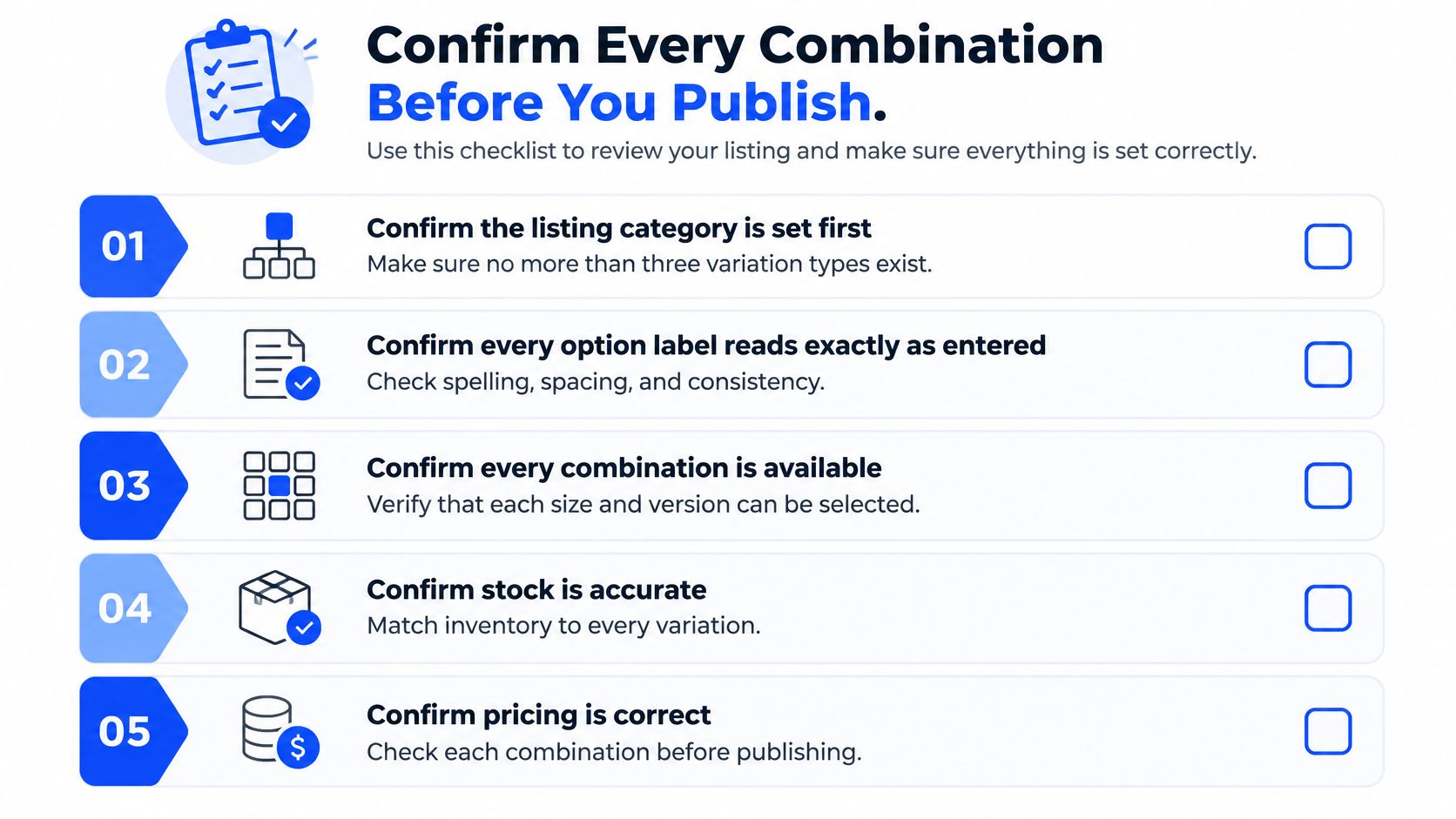
Category and type count. Confirm the category is set and the grid uses no more than three variation types.
Labels. Check that each option reads clearly to buyers and each value uses one consistent spelling.
Impossible rows. Exclude combinations you do not sell so buyers cannot select them.
Price, quantity, and SKU. Check that each active combination with different values has its own price, stock count, and SKU.
Processing. Set extra processing time for options that need it, and leave the standard time on the rest.
Live click. On the public page, select an option for each type and confirm the displayed price and stock match the grid.
After publishing, check which combinations sell first and adjust their quantities. Repeat all six checks whenever you edit the grid. Even a quiet week is no reason to assume every row is still accurate.
A clean grid of combinations beats a long list of options.
If the grid is accurate but the listing still does not appear for a phrase buyers use, Upglider offers a ranking campaign for one listing and one agreed search phrase of three or more words. Choose a 30-, 90-, or 180-day campaign, pay once, and keep your Etsy password private. Its money-back guarantee applies if the listing does not reach the top 15 for the agreed phrase within 21 days. Use the pre-payment assessment to check the listing and phrase before paying for a campaign.