Your Etsy shop URL takes two live forms, shopname.etsy.com and www.etsy.com/shop/shopname, and neither works until your shop is open. Creating an account alone doesn't create a public address you can share.
If both addresses lead to the same shop, why do so many sellers still send customers to the wrong page? The gap is usually not the shop link itself. It's the lookalike links around it, a listing link copied by mistake, a preview that only works while you're signed in, or a custom domain that looks like a separate website but only forwards people to Etsy. Get the shop address right first, then choose the right link for each place you share it.
Both Official Etsy Shop URL Formats
After your shop is open, Etsy gives you two official addresses for the same storefront. If your shop is called NorthwindPrints, they're NorthwindPrints.etsy.com and www.etsy.com/shop/NorthwindPrints. The Etsy Help guide to your shop link confirms Etsy supports both shopname.etsy.com and www.etsy.com/shop/shopname, and that they work only after the shop is open.
That's the first trap for new sellers. You can have an Etsy account, a username, and even draft listings, but you don't yet have a public Etsy shop URL. The address becomes real when the shop itself is open, because the shop name sits inside both formats. Until then, there's nothing for a customer, a QR code, or a social bio to point to.
Format | Example | Best use |
|---|---|---|
Short shop address | NorthwindPrints.etsy.com | Bios, packaging, QR codes, and spoken shares |
Full shop path | Links that should clearly sit on etsy.com | |
Previous shop name | OldShopName.etsy.com | Still reaches the shop after a rename because Etsy redirects it |
Pick One and Use It Everywhere
The short subdomain is the easier one to say out loud, print on a thank-you card, or fit into an Instagram bio. It's also the easier one for a customer to type from memory after seeing your packaging. Say you sell pressed floral prints at a market. "NorthwindPrints.etsy.com" fits on a small card and a customer can read it back to you without you spelling out slashes.
The full shop path does the same job, but it reads more clearly as part of Etsy's main site. Use it when a platform, form, or marketplace profile handles subdomains poorly, strips them, or expects a link that starts with etsy.com. Some wholesale directories and older link fields are picky in that way. The full path removes doubt about where the link belongs.
Capital letters help people read the name, so NorthwindPrints is clearer than northwindprints on a printed card. They don't create a different address, though. A customer who types it in lowercase still reaches you, which is why you can print the readable version without worrying that you've invented a second URL.
Practical rule: choose the short format as your everyday link, save the full format as your backup, and test both before you print anything.
One more thing to know before you share either address. If you later change your shop name, the URL changes to match, and Etsy keeps redirecting the old address to your shop. That redirect protects links you've already handed out, but it doesn't mean you should keep printing the old name.
Choose one format as the link you paste everywhere, so your bios, packaging, and email signature all match. Then open it in a signed-out browser window before you share it anywhere. If it loads your shop for a stranger, it's ready. If it doesn't, the problem is almost always that the shop isn't open yet or the name is typed wrong.
How to Find and Copy Your Shop Link
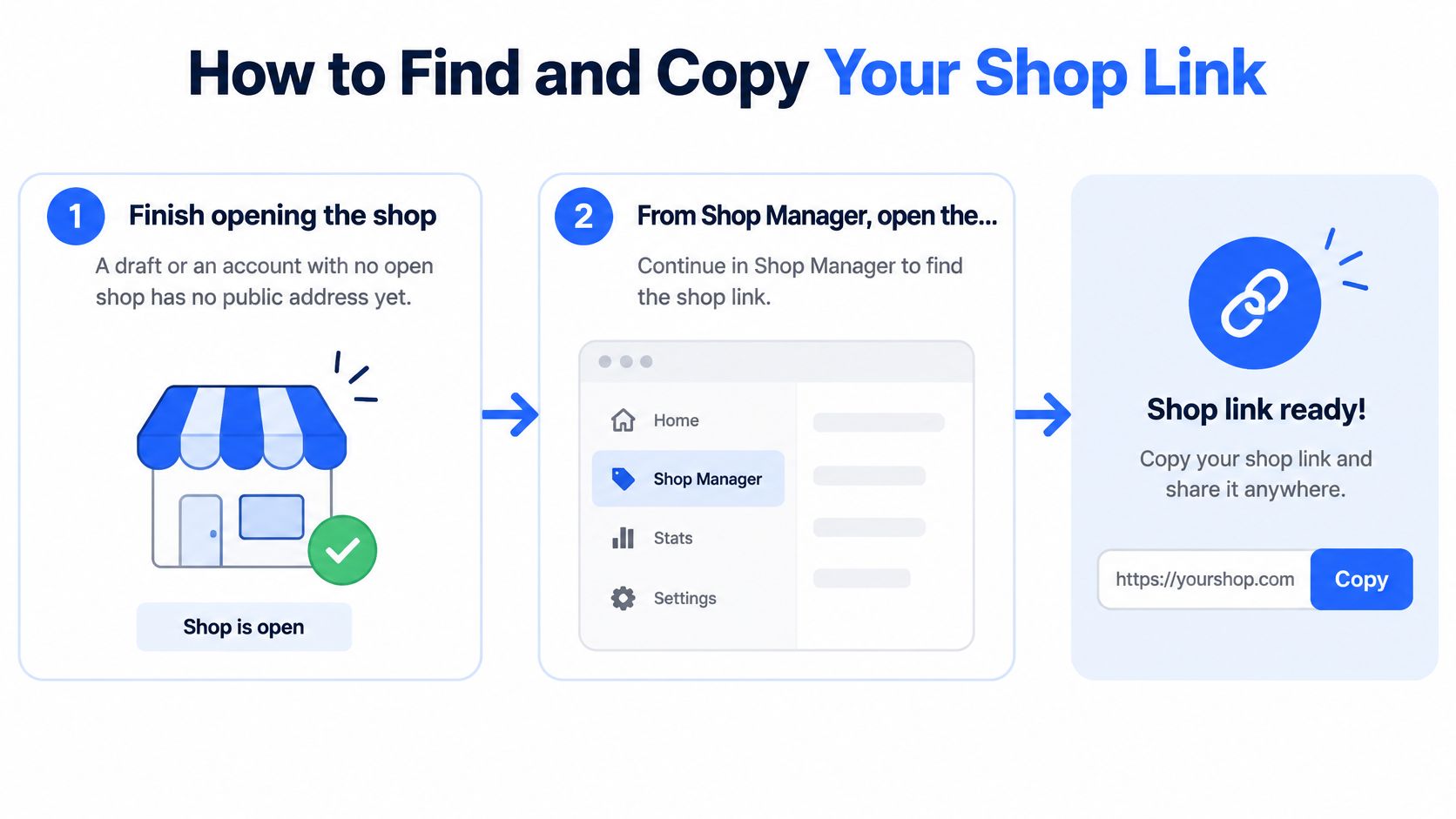
You don't need to hunt through settings menus for a hidden link field. Your Etsy shop URL is built from your shop name, so once the shop is open you can build it, open it, and copy it in a few minutes. Follow the steps in order, because most broken-link problems come from skipping the first or the last one.
The Seven Steps
Finish opening the shop. Complete the shop setup until Etsy treats the shop as open. A draft shop, or an account with no open shop, has no public address yet, so any link you build now will fail.
Open the public shop view. From Shop Manager, open your shop as a visitor sees it. You can also type the full shop path into a browser, using www.etsy.com/shop/ followed by your exact shop name.
Copy the address from the browser bar. Click into the address bar, select the whole address, and copy it. Check that you haven't added a space at the start or end, because a stray space breaks the link in some apps and email tools.
Write down the short form too. Type out ShopName.etsy.com with your own shop name in place of ShopName. Both forms reach the same shop, and you'll want the short one for print and bios.
Paste both into a notes app. Keep one note with your shop name, the short link, and the full link. This sounds minor, but it stops you retyping the address from memory each time, which is where missing letters creep in.
Test in a private window. Open a private or incognito window while signed out of Etsy and paste each link. Then open them on your phone as well, since most customers will tap your link on mobile.
Save the winner. Once the short link loads your shop while you're signed out, save it as the one link for bios, packaging, and signatures. Don't keep swapping between formats, or you'll lose track of which version you've printed.
The Two Slips That Cause Most Failures
The most common slip is copying a link while you're editing a listing. That grabs a product URL, not your shop URL, so anyone who taps it lands on one item instead of your storefront. It's an easy mistake when you're rushing to share a new listing and you copy whatever is in the address bar. Always check whether the copied link contains your shop name alone, or a long listing address with extra words and numbers.
The second slip is trusting a preview. A page can look perfect while you're signed in, because Etsy knows it's your account. That view doesn't prove the public link works. A customer, a search engine, or anyone you send the link to will arrive signed out, or signed in as themselves.
A link that only works in your own signed-in session isn't a shop link yet. It's a preview.
If the page doesn't load during your test, work through two checks before you assume something's broken. First, confirm the shop is open, not still partway through setup. Second, compare the typed name against your real shop name letter by letter, with no spaces and no symbols, since Etsy shop names can't contain them. One missing letter sends people to a dead page or, worse, to someone else's shop.
Retype the name slowly rather than editing the failed link, because it's hard to spot a wrong letter inside a long address. Then test again in the private window. The signed-out test is your proof. When both formats load your shop there and on your phone, the link is safe to send to anyone.
Name Rules Before the URL Exists
Your shop name isn't just a label on your banner. It becomes your address, so Etsy's name rules are really URL rules. The Etsy Help guide to opening a shop states a shop name must be between 4 and 20 characters, with no spaces or special characters, no profanity, no name already in use by another Etsy member, and no infringement of someone else's trademark.
Run a candidate name through those rules as a simple pass or fail check. Say you sell wedding stationery and want to call the shop Wedding Paper Co. That fails, because the address can't contain spaces. WeddingPaperCo passes, because it's one continuous run of letters that still reads clearly. A version with an ampersand, a hyphen, or an apostrophe fails too, no matter how good it looks in a logo.
Length check: count the characters and stay within 4 to 20.
Character check: remove every space, symbol, and punctuation mark.
Availability check: the name can't already belong to another Etsy member.
Trademark check: don't build your address on a brand name that isn't yours.
Capitalization is your only styling tool, and it's display only. OakAndIron, Oakandiron, and OAKANDIRON are the same identity, so pick the version that's easiest to read at a glance on a package or a market stall sign. You're not choosing three different addresses. You're choosing how one address looks in print.
Etsy holds your selected name while you finish opening the shop, which gives you breathing room during setup. Use that time for a spoken test. Say the name out loud, then spell the short link to someone as if you're on the phone. If they have to ask you to repeat it, customers will mistype it from your packaging too. Very short names carry the same risk, because one wrong letter is a bigger share of the whole address.
If you're still at the setup stage, the wider Etsy shop setup guides walk through the surrounding decisions in order. The decision that matters most here is stability. Pick a name you can leave alone, because every later change rewrites the public address your customers have saved.
Rename Limits and Fixes for Broken Links
A rename sounds like a small settings change. On Etsy it's limited, and it rewrites your address the moment you save it. The Etsy Help guide to changing your shop name says you can change your shop name up to five times in shop settings after the shop is open, and further changes require approval from Etsy Support.
Two kinds of change don't use up one of those five. Changing only capitalization, such as oakandiron to OakAndIron, doesn't count. Neither does switching back to a previous shop name you've used before. Everything else counts, so treat each rename as a spent allowance you can't get back without asking Etsy for help.
What Etsy Fixes for You, and What It Doesn't
When you rename the shop, the new name becomes the new Etsy shop URL right away. Links built on the old name don't die. Etsy automatically redirects them to your current shop, so a business card sitting in a customer's drawer still works months later. That's real protection, and it's why a rename isn't an emergency for traffic you've already earned.
It isn't a reason to leave stale branding in place. Say a seller rebrands from SummerPress to NorthwindPrints. The old address, summerpress.etsy.com, still forwards, but the printed inserts in her parcels now show a name that no longer matches the shop a customer lands on. That mismatch looks like a mistake, and it makes repeat buyers hesitate. She still has to reprint the inserts.
Update these by hand after any rename:
Social bios: Instagram, TikTok, Pinterest, and any link-in-bio page.
Email and documents: your email signature, invoices, and wholesale line sheets.
Printed materials: QR codes on tissue paper, thank-you cards, stickers, and business cards.
Live promotions: any ad, post, or marketplace profile still showing the old name.
Two Failures That Aren't Broken URLs
Some links that look broken were never live in the first place. The first case is a shop that was never fully opened, so no public address exists yet for anyone to visit. The second is a typed name carrying a space or symbol that Etsy never allowed, which means the address being tested was never the actual one. Both feel like link failures, but neither is a redirect problem.
If a link still fails after a rename, work through the checks in this order. Confirm the shop is open. Retype the current shop name exactly, one character at a time, instead of editing the failing link. Then test it in a signed-out private window, because a signed-in view can hide the problem.
Rename test: if the new link loads in a private window and the old link forwards to the same shop, your redirect works and only your printed branding needs attention.
When a link problem turns out to be something else in your account, the Etsy troubleshooting guides cover the common shop errors sellers hit next. Keep a rename in perspective, though. It's a branding project with printing, profiles, and ads to update. Plan it like one, and don't spend one of your five changes on a whim.
Which Link to Share Where
The right link depends on where you want the visitor to land. Sending a shopper to your homepage when they tapped an ad for one necklace adds a search step they'll often skip. Match the link to the destination, and you'll stop losing people between the tap and the product.
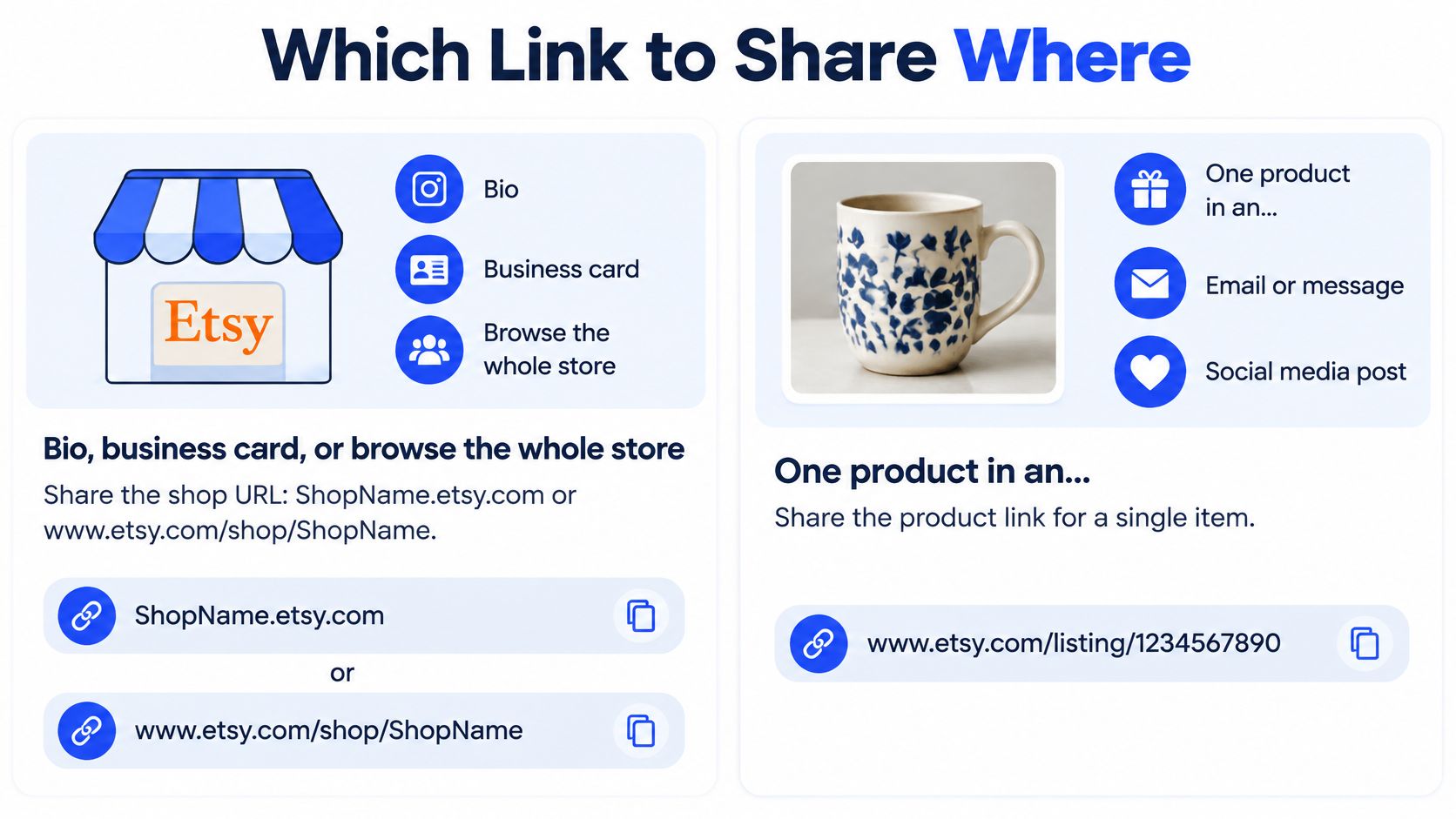
For a bio, a business card, or anyone who should browse the whole store, share the shop URL. For one product in an ad or a post, use that listing's link. Etsy supports sharing a specific listing through the Share option and sharing a shop section whose URL includes section_id=, so copy the section link from your browser bar while that section is open when you want to send people to one product group.
One listing detail catches sellers out. Etsy generates a listing's unique URL from its title at first publication, and that URL does not change when you later edit the title. So save the original public link when you first share a product, and keep using it after title tweaks. If you delete a listing and create a replacement, though, that's a new URL, and you should treat it as a new link everywhere you've shared the old one.
Link | What it looks like | Use it when |
|---|---|---|
Shop homepage | ShopName.etsy.com or www.etsy.com/shop/ShopName | The visitor should browse the whole shop |
Single listing | www.etsy.com/listing/ plus the listing ID and title slug | You are promoting one product |
Shop section | Shop URL with section_id= and the section number | You want one product group, such as wedding suites |
Your own domain | yourdomain.com forwarded by the domain host | You want a memorable promo name; the browser still shows the Etsy shop URL |
Your Own Domain Only Forwards People
Can you use your own domain without losing the Etsy URL? Yes, but it doesn't replace it. The Etsy Help guide to redirecting your domain confirms you can redirect a seller-owned domain to your Etsy shop through your domain provider, without Etsy Plus or Pattern, but visitors ultimately arrive at the default Etsy shop URL, which stays visible in the browser address bar.
That makes a custom domain a memorable front door, not a separate storefront. It doesn't hide Etsy, create your own navigation or analytics, or work as an Etsy SEO shortcut. Setup also happens at your domain host, not inside Etsy. And since a domain redirect points to your shop homepage, it isn't the right tool for promoting one product. A single item still needs its own listing link. Note that Share & Save also requires an eligible Etsy shop format, so a custom domain has to forward into that format for those links.
Your domain gets remembered. Your Etsy shop URL gets visited. They're not the same thing.
Now do a placement pass across everything you control. Put the shop URL in social bios, email signatures, packaging QR codes, and wholesale one-pagers, where browsing helps. Put a listing URL in ads, single-item posts, and replies about one product. Use a section URL only for a group offer, such as a wedding suite collection during booking season. After any rename, swap these placements even though old links redirect, then test each new paste while signed out. For ideas on where those links earn their keep, the Etsy shop marketing guides cover promotion beyond the copy and paste.
Getting the link right also matters when you hand it to anyone working on your visibility. With Upglider, for example, you send a public Etsy link and your search phrase, and no Etsy password is needed. To start, you need only the link to a live Etsy listing, which is one more reason to test and save the exact URL. Etsy SEO campaigns start from $129 USD as a one-time payment.
Open a private browser window now, paste your short shop link while signed out, and check where you land. If it's your shop, save that exact Etsy shop URL in a note and use it everywhere from today. If you want help getting one live listing found in Etsy search once your links are clean, send us the public listing link and the search phrase you want to target. We don't need your password, and we never sign in to your shop.